Requirements
Please make sure you have the following information before booking the pickup:
- Number of packages
- Total weight of packages (kg)
How to book a pickup
- In eShip, navigate to the Printed tab.
- Select the orders that you would like to be picked up.
- Click the Actions menu and select Order pickup
- Enter the pickup date, time & confirm pickup details.
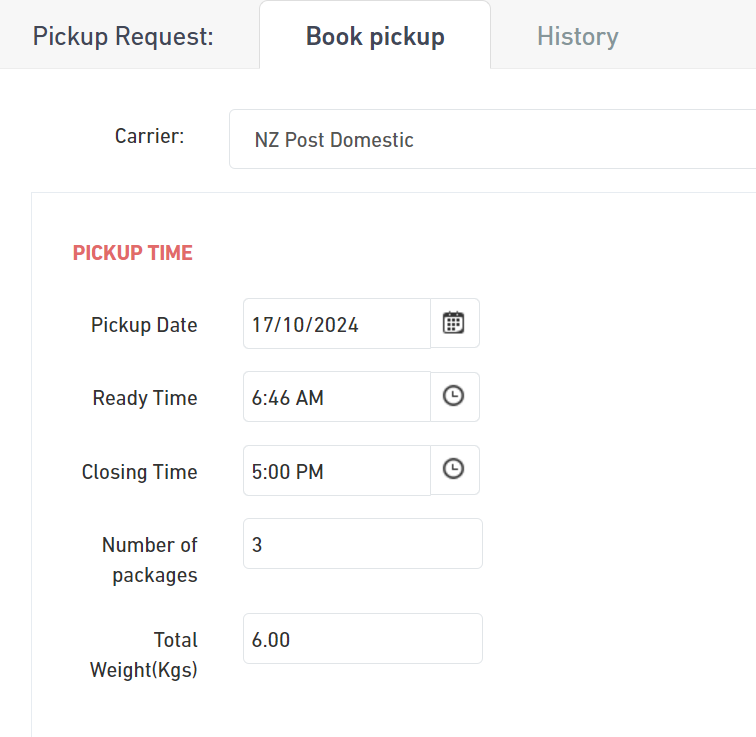
- Click Order to confirm the pickup request.

33
-13
Was this article helpful?
10 out of 33 found this helpful
Articles in this section
- Archiving & removing orders
- Book a courier pickup
- Commercial Invoice - Order Values, Tax, Discounts and how to adjust them
- Create a manual order
- How to fulfil orders
- Import orders
- Offshore customers (sending to New Zealand)
- Quick Print
- Set account to metric or imperial measurements
- Set up Country of Origin/Manufacture for international shipments